Redesigning clinic flow to improve conversion rate
Role
UX Research · UI Design · Copywriting
Type
Redesign
Tools
Figma · NotebookLM · Claude
Industry
Healthcare / Dental
Overview
St. Dunstan's Dental Practice has been serving Canterbury for 50 years. They have a 4.9-star Google rating, 450+ reviews, and two distinct audiences who need very different things from their website — anxious patients looking for reassurance, and referring dentists looking for specialist credentials.
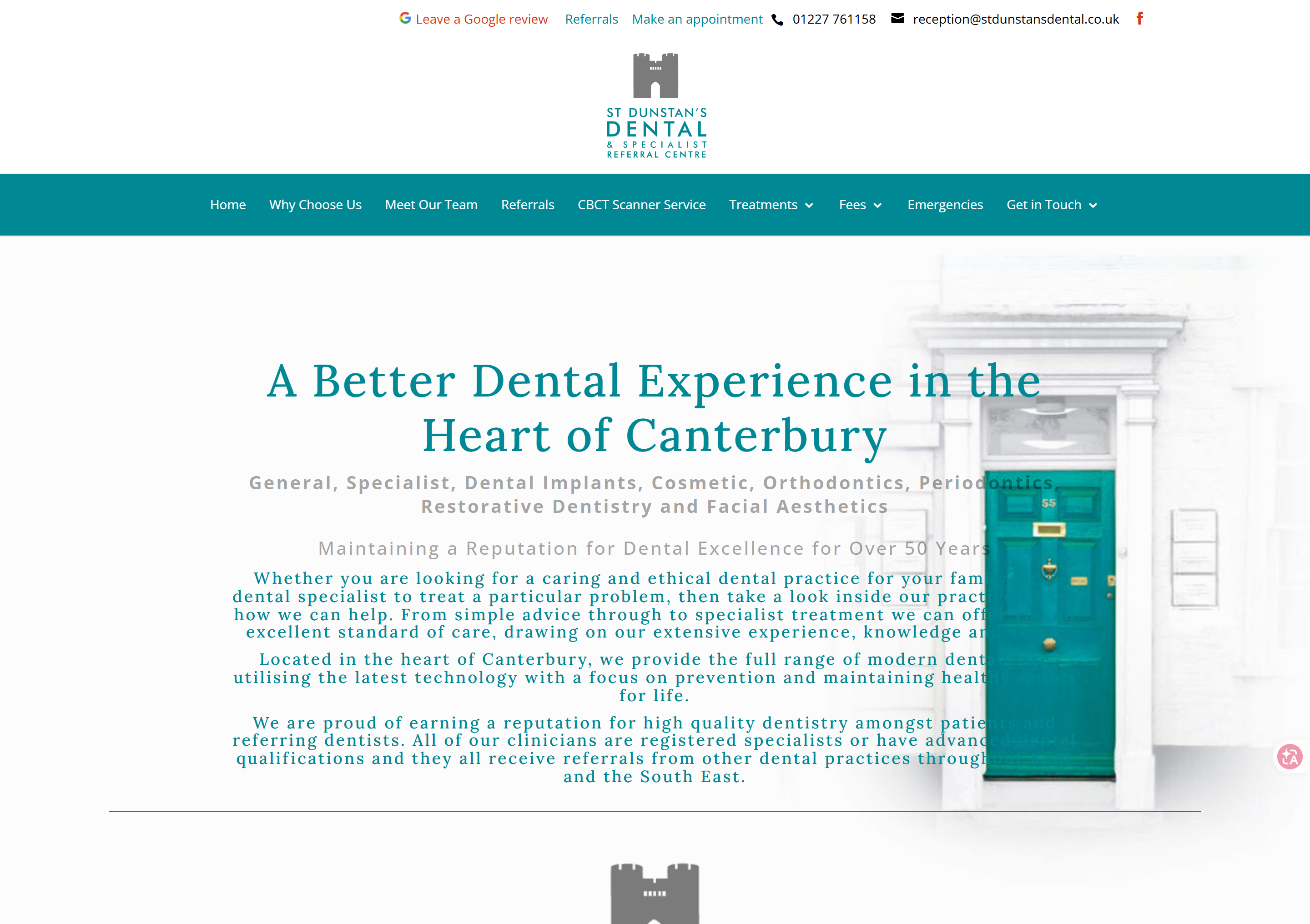
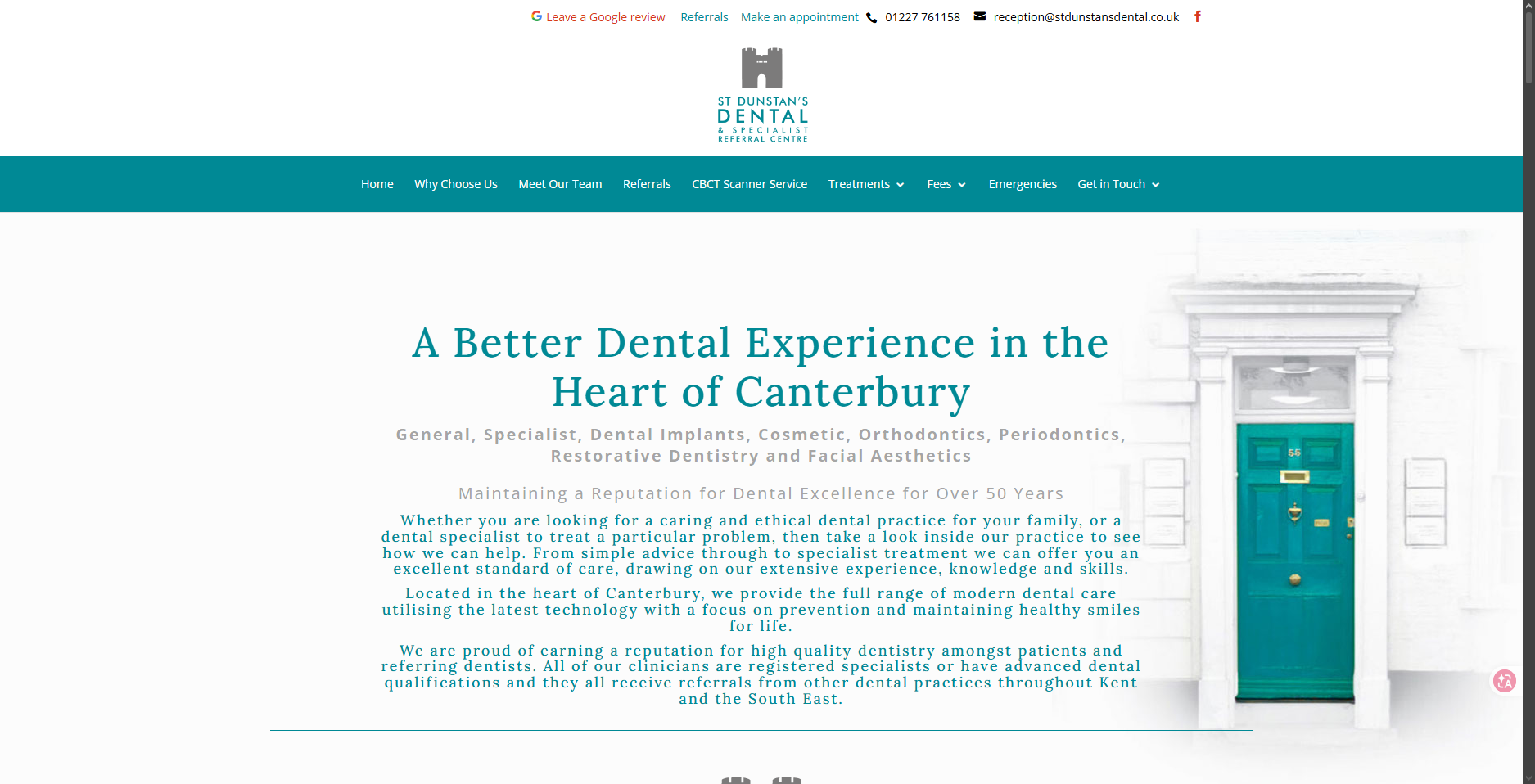
Their existing site had none of that. No photos. No social proof. No visual hierarchy. A wall of text where a first impression should be.
This is an unsolicited concept redesign. I used NotebookLM to analyse 51 sources across both audience groups, identified the core friction points on the original page, and rebuilt the landing page from the ground up — leading with trust, reducing anxiety at every scroll, and giving both audiences a clear path to action.
Before
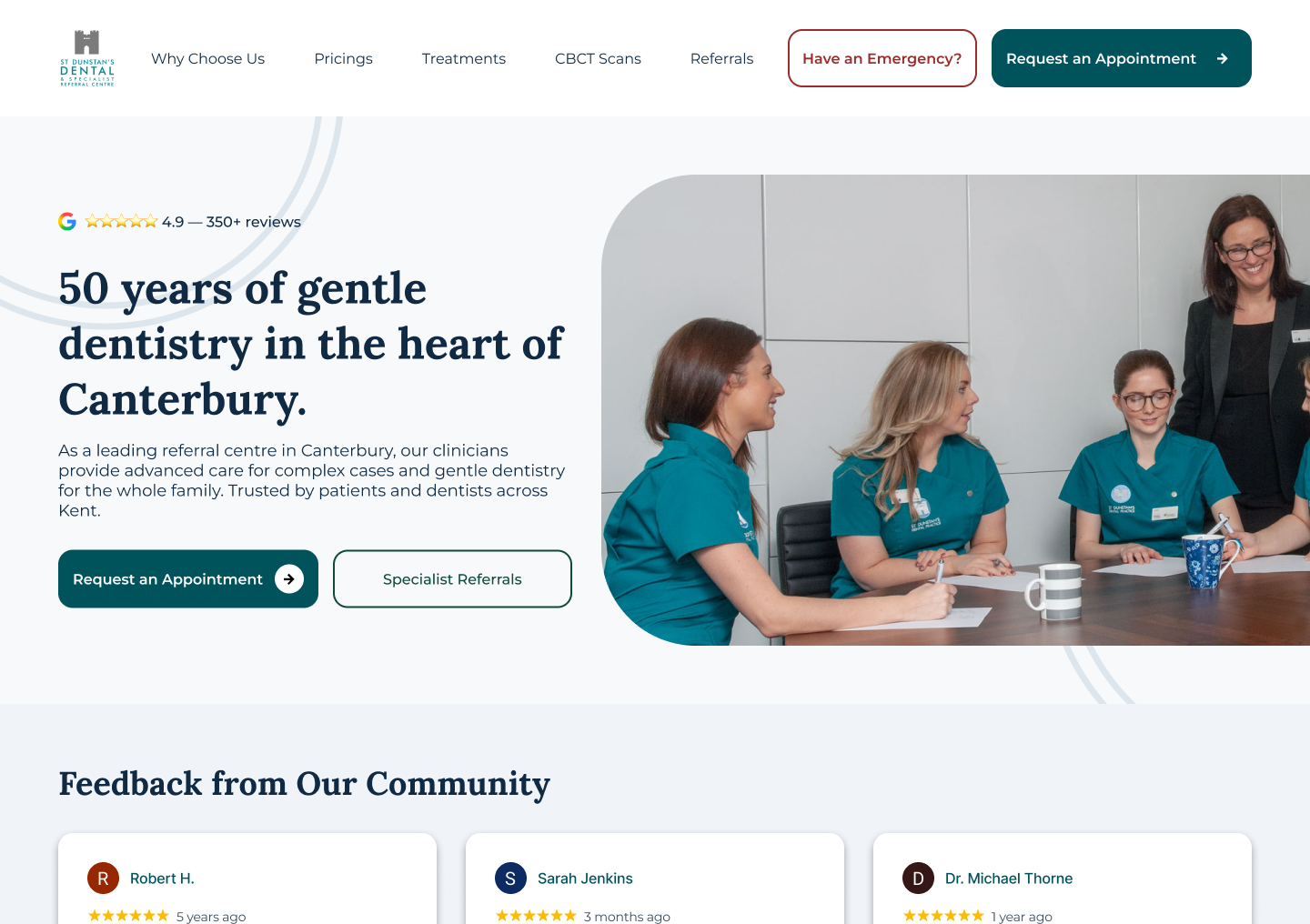
After
01 — Problem
What's the problem?
St. Dunstan's is a 50-year-old specialist dental practice with a 4.9
Google rating and 450+ reviews. Their website didn't reflect any of
that credibility. It presented information as a wall of unstyled text
with no visual hierarchy, no emotional consideration for anxious
patients, and no clear path to action for either patients or
referring doctors.
Original site — the first impression on patients.
Wasted real estate at the top
The page opens with 191 pixels of wasted space — 150px for an
oversized logo and 41px for contact info, both of which belong in the
navigation bar. Below that, there were no photos, no ratings, no
opening hours, no interactive buttons. The only substantive content
was a services paragraph that didn't follow WCAG contrast standards.
Listing services as plain text creates unnecessary cognitive load. The
site claims 50 years of experience but provides no visual proof — the
outdated layout actively contradicts the credibility it's trying to
claim.
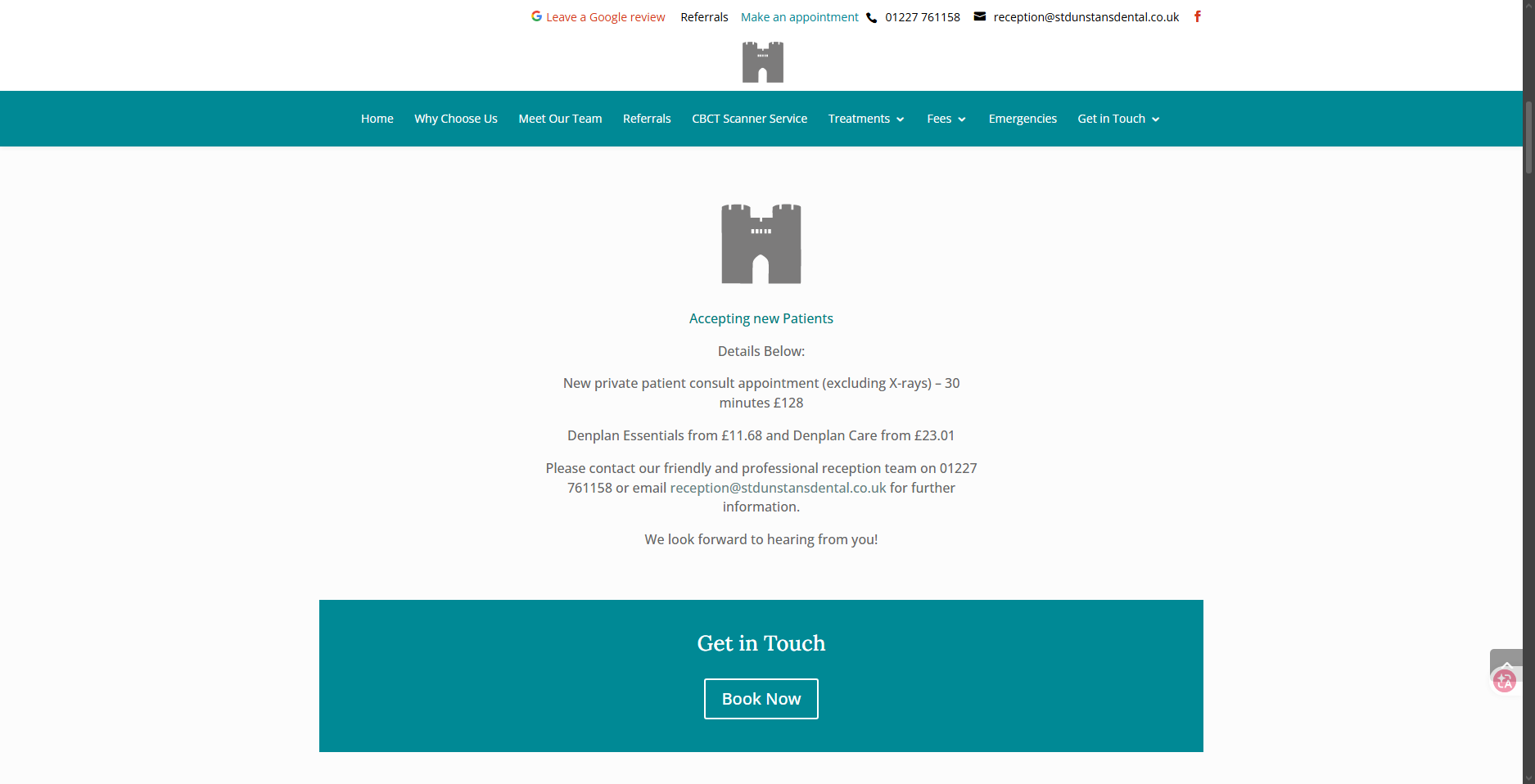
Pricing without context
The pricing section presented raw numbers without any context — £128
for a consultation and Denplan prices listed as plain text. No
explanation of what the consultation includes, no reassurance about
cost, no clarity on what Denplan actually is. For an anxious patient,
seeing hundreds of pounds before they've even decided to book
increases anxiety rather than reducing it. Competitive analysis
confirmed no other UK dental website includes pricing on their
landing page — it's not the industry standard for a reason.
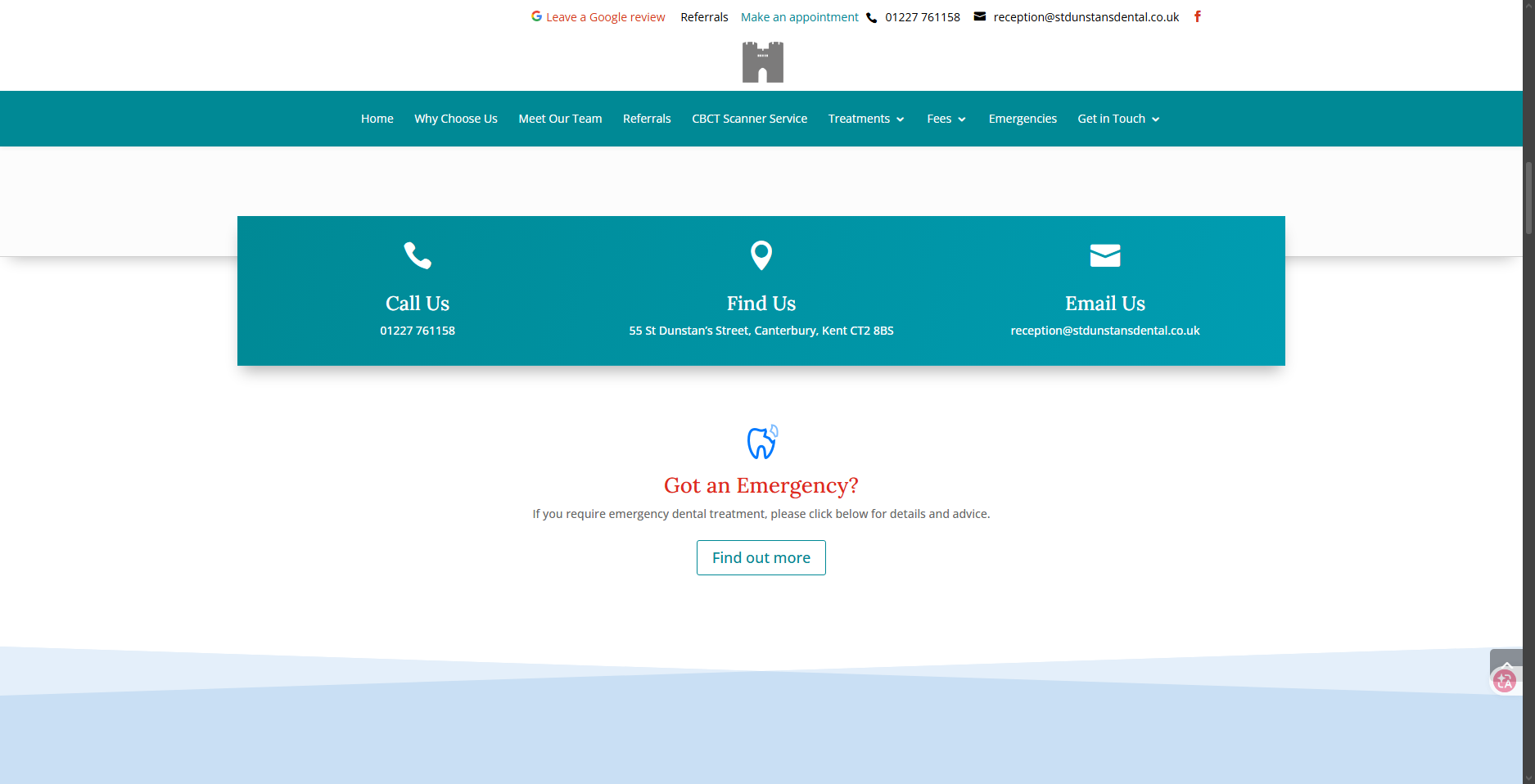
Contact & emergency in the wrong place
Contact information — phone, address, and email — was given its own
full section in the middle of the page. This information belongs in
the navigation bar or footer, not interrupting content hierarchy. The
emergency section appeared after several scrolls, requiring the user
to pass through unrelated content before reaching time-critical
information. For someone in a dental emergency, this is a serious
usability failure.
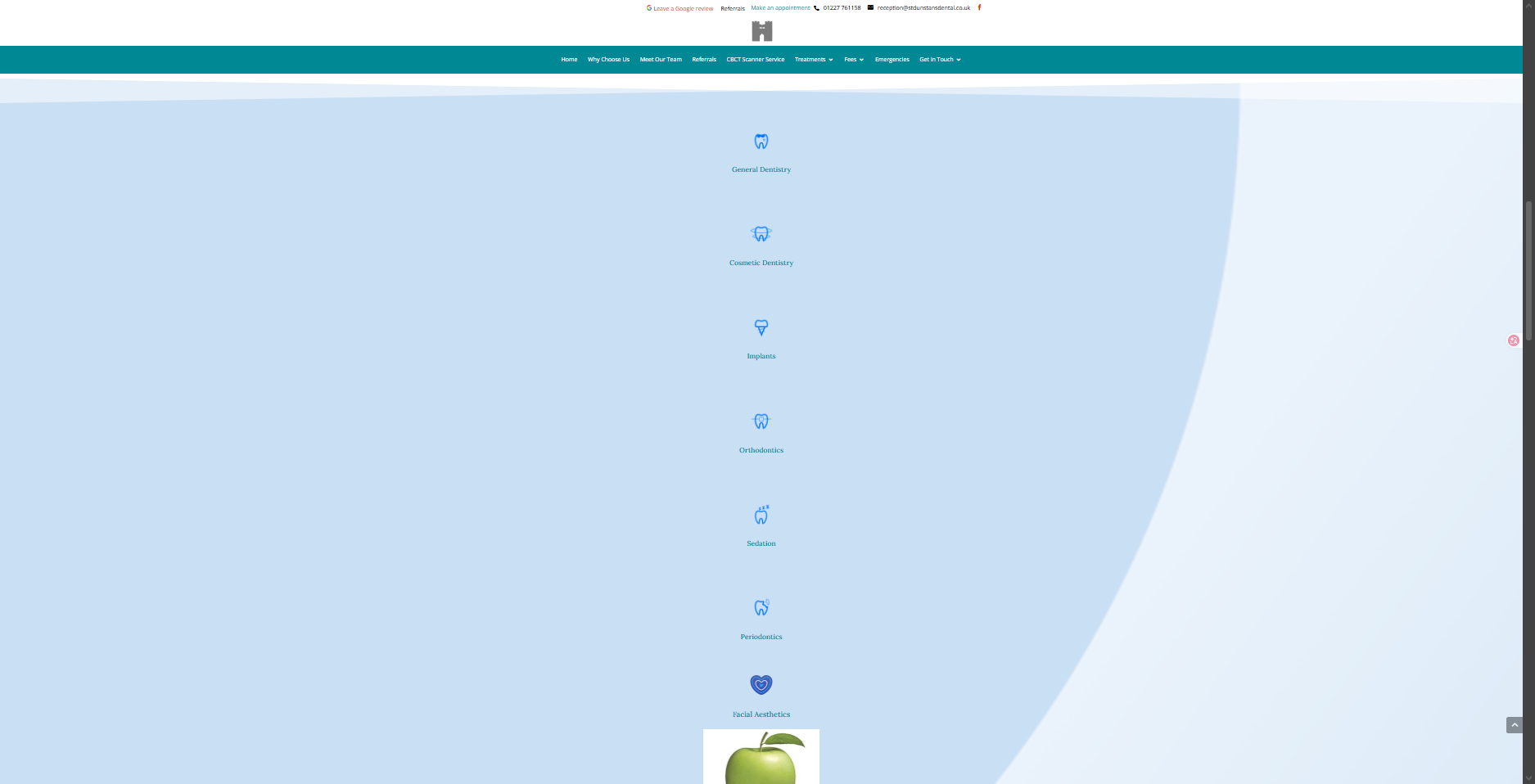
Services as a vertical wall
Services were displayed as a vertical list — each item taking the
full width of the page, one after another. Seven services meant seven
full-width rows of scrolling for information that could have been
communicated in a compact grid. The excessive vertical space created
unnecessary cognitive load and scroll depth with no benefit to either
audience.
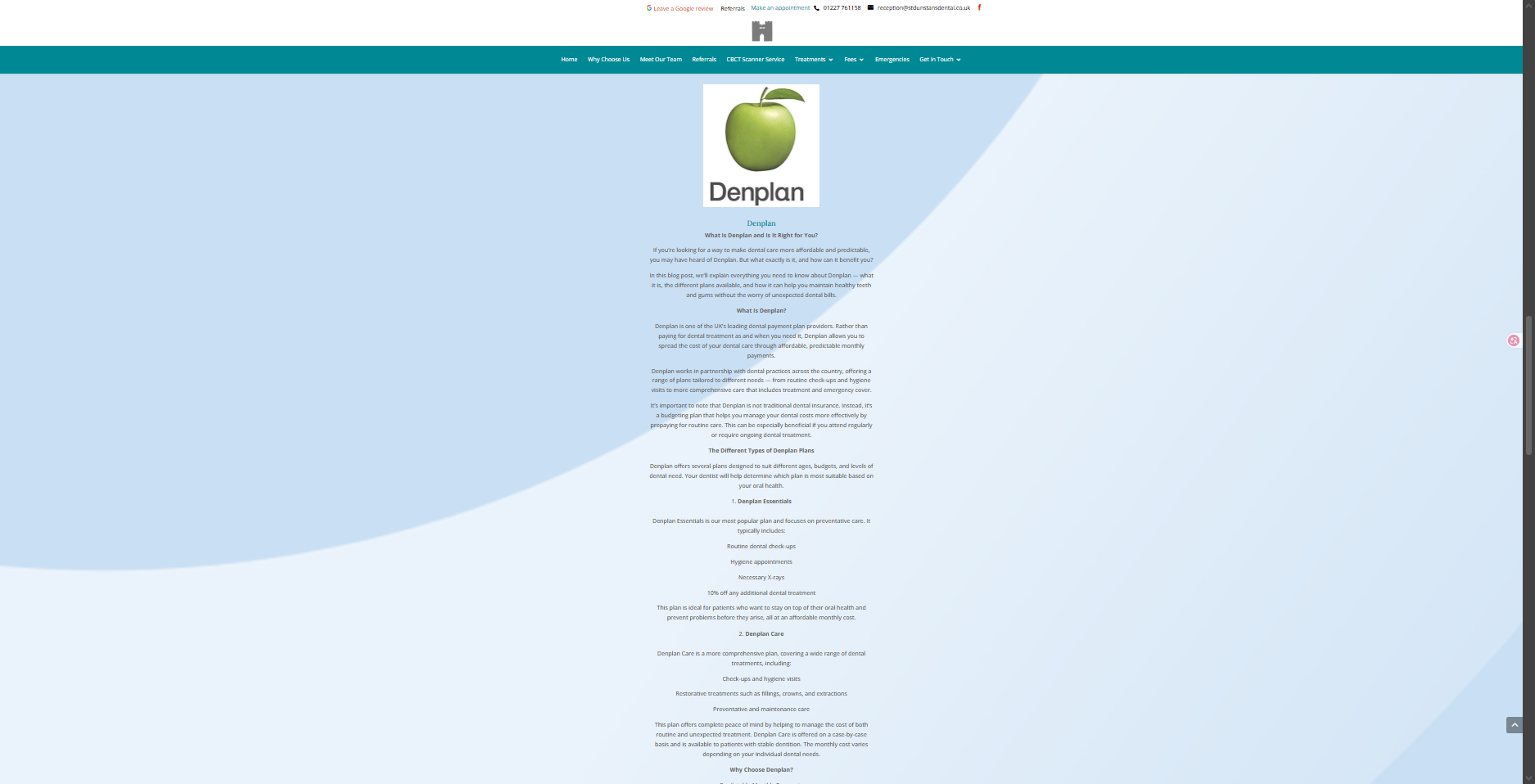
Denplan as a wall of text
A Denplan logo followed by an enormous wall of text explaining what
Denplan is from scratch. A landing page is not a blog post. The entire
section was just continuous paragraphs with no visual hierarchy, no
scannable structure, and no clear action.
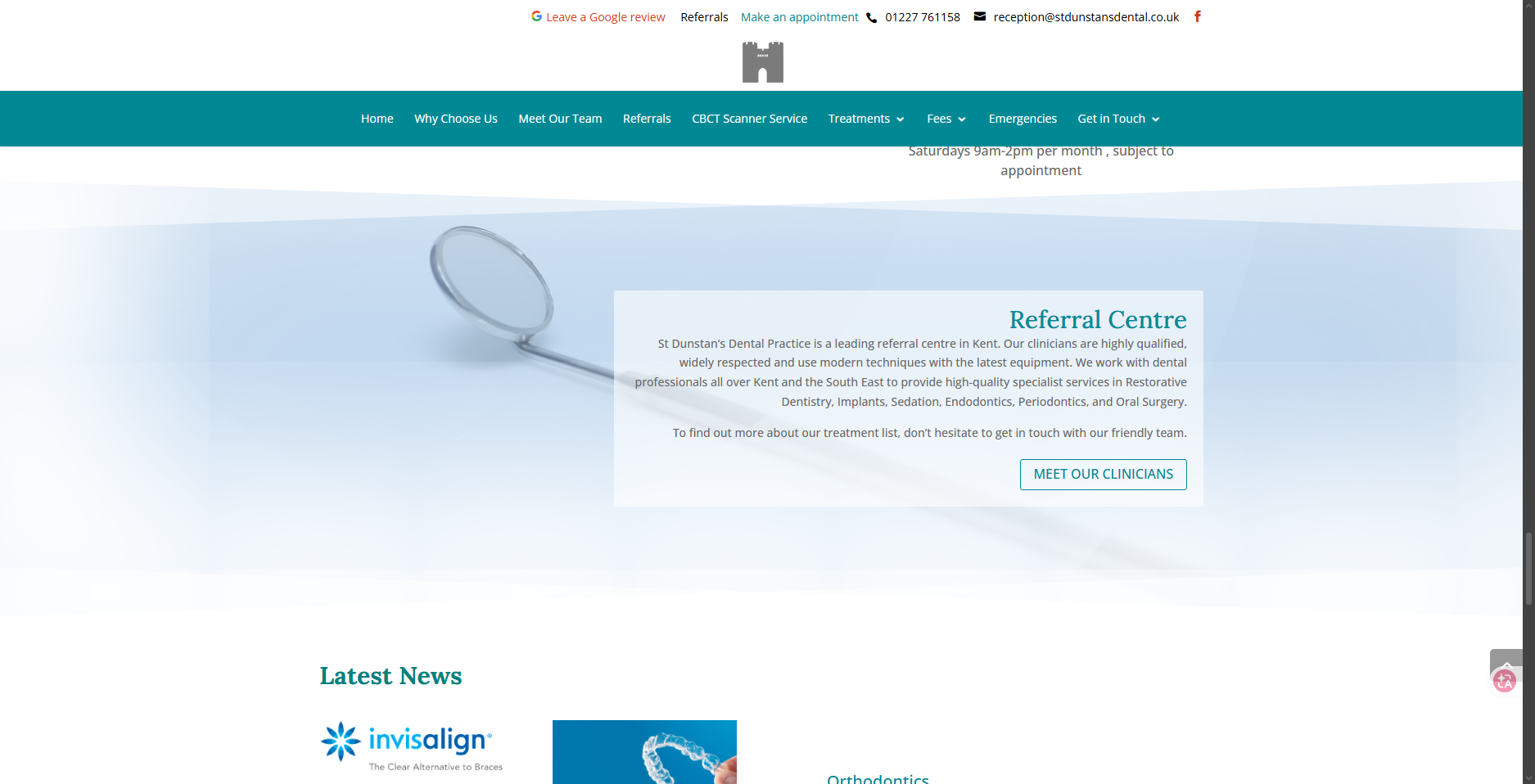
Referrals buried, news irrelevant
The referral centre section used a full-bleed background image of a
dental mirror with a floating text card over it — the Law of Common
Region is violated, with content visually floating rather than being
contained within a clear boundary. The section itself was valuable
but buried deep in the page where referring doctors were unlikely to
reach it. Latest News served no purpose for either audience and was
removed entirely in the redesign.
02 — Research
Who am I designing for?
To understand the audience, I used NotebookLM to conduct deep research across the
internet and pull 51 different sources around two questions:
What do dental patients need, want, and fear? and
What are referring dentists looking for? These were the
findings.
Audience 1
Anxious patients
— Nobody likes dentists — reassurance is the primary need, not information.
— They need real human faces — photos of a door don't build trust.
— They need proof of experience, not just claims of it.
— Anything confusing or overwhelming will make them leave.
— Everything needs to be direct, calm, and fast.
Audience 2
Referring dentists
— They need to see proof of specialist credentials quickly.
— They need to know the centre is capable of complex cases.
— They need to quickly identify which specialisms are available.
— They scan — they don't read.
03 — Sketching & iteration
Four iterations to find the right hero.
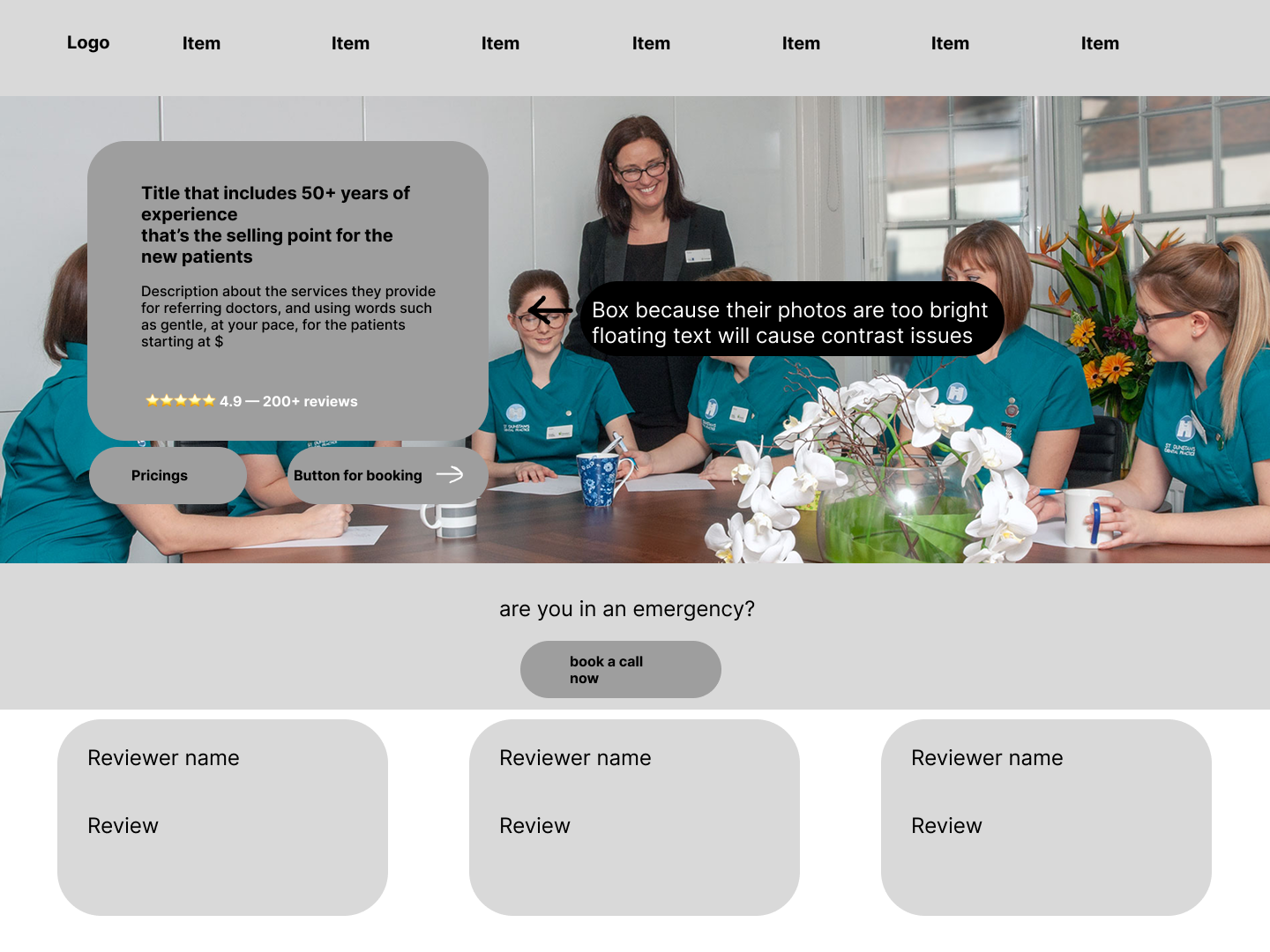
Hero V1 — Getting the information on the page
First attempt put everything in a floating text box over a
full-bleed photo. The goal was to show the team immediately for
trust, but placing text over the bright clinical photos caused
contrast issues — the text became unreadable.
What it solved: established the two-CTA structure
— one for patients, one for referring doctors.
Problem: needed to decide which information to
prioritise. Not everything could be above the fold.
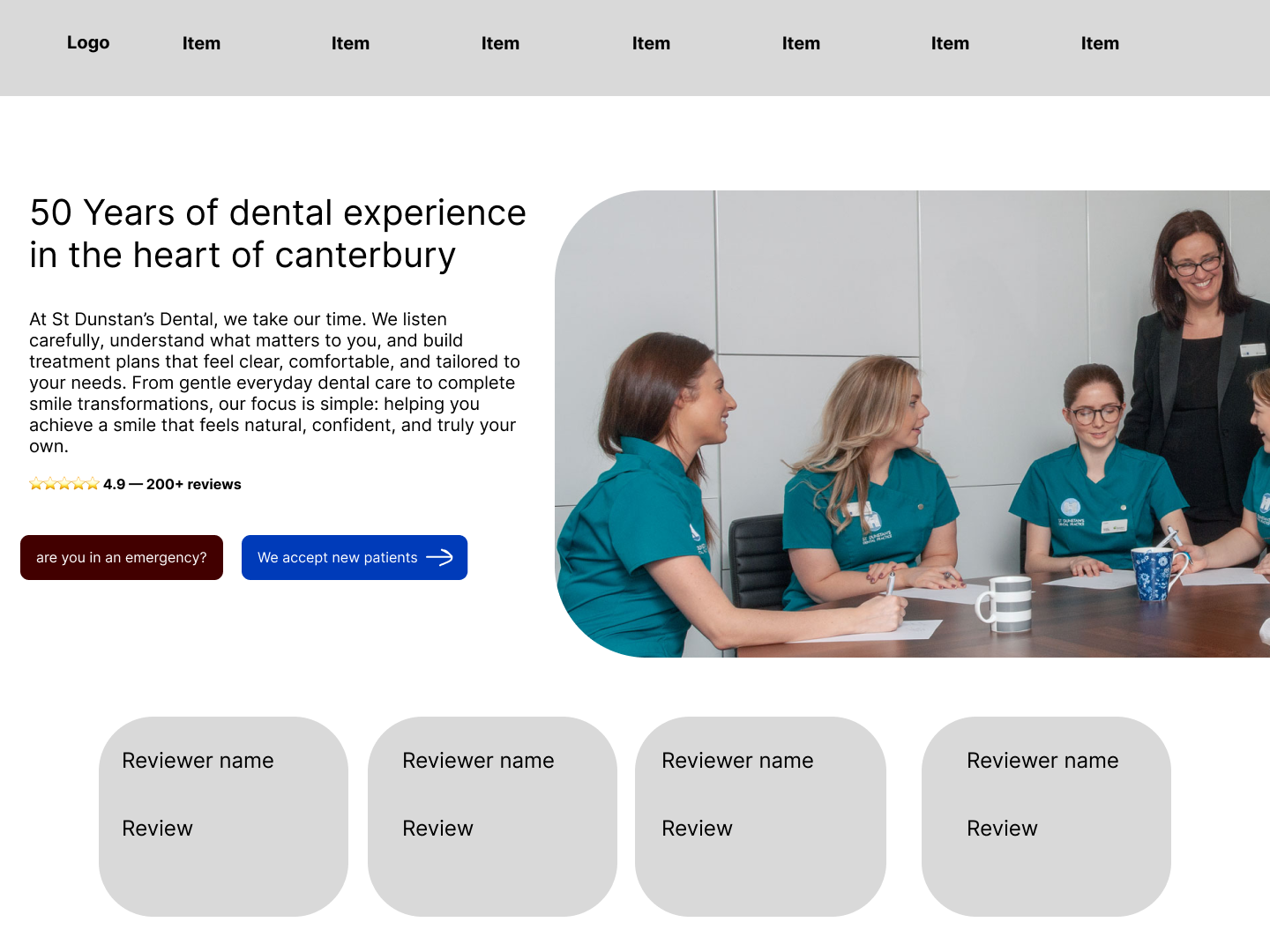
Hero V2 — Prioritising what matters
Reduced the information density and committed to a split layout
with team photo on the right. Hierarchy started to emerge, but
the emergency CTA still didn't have a natural home — placing it
in the hero felt loud, placing it below felt irresponsible.
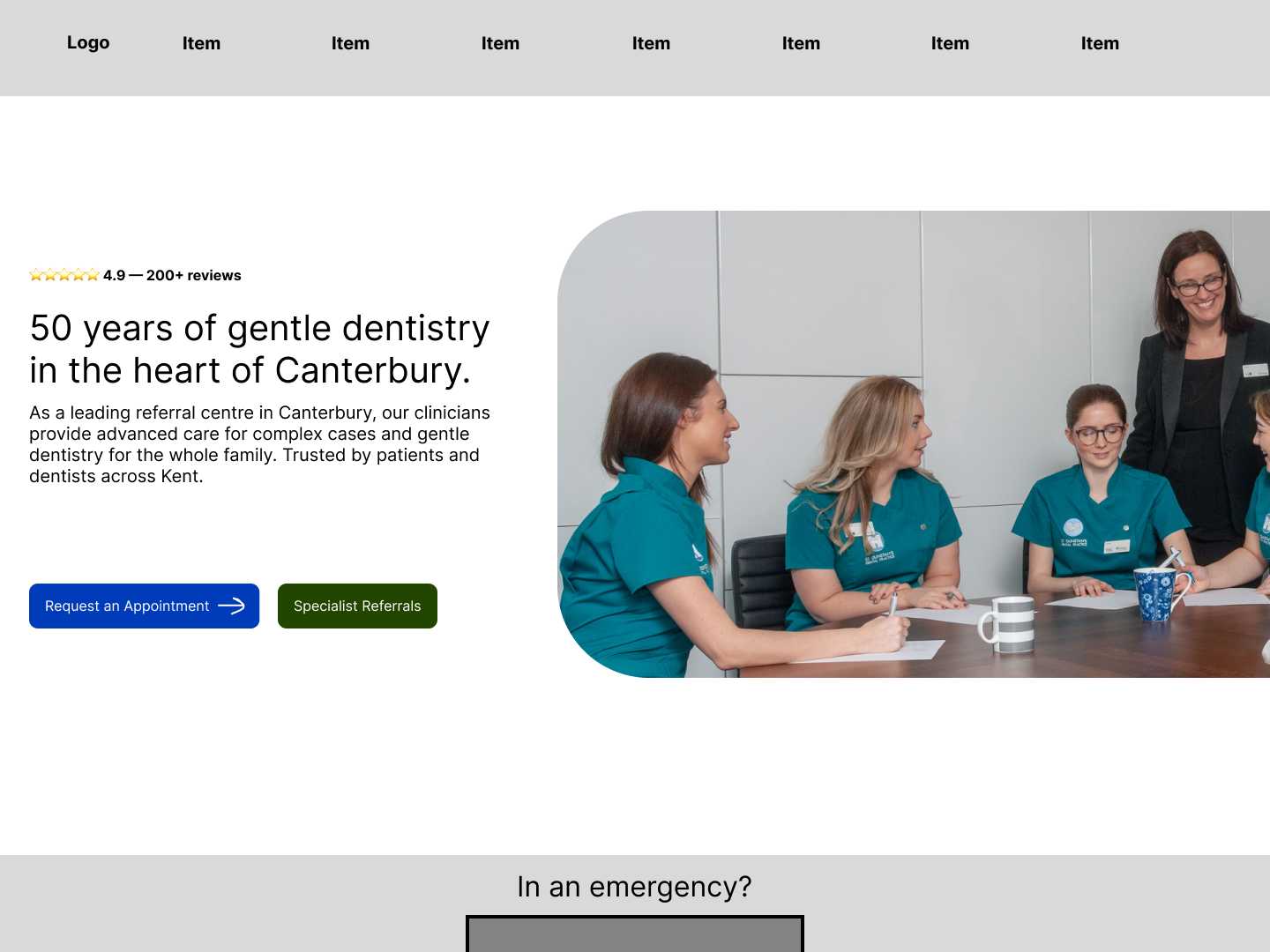
Hero V3 — Solving the emergency dilemma
Overcrowding is removed. A patient now sees reputation +
experience with a button to scroll down. Someone in an emergency
can see part of an emergency card and scroll a little to read
more. Referring doctors aren't ignored either — a button takes
them to the specialties section.
The remaining tension: what goes under the hero
— reviews or emergency? Emergency makes more sense first because
it's emergent, but that breaks the hierarchy of building trust.
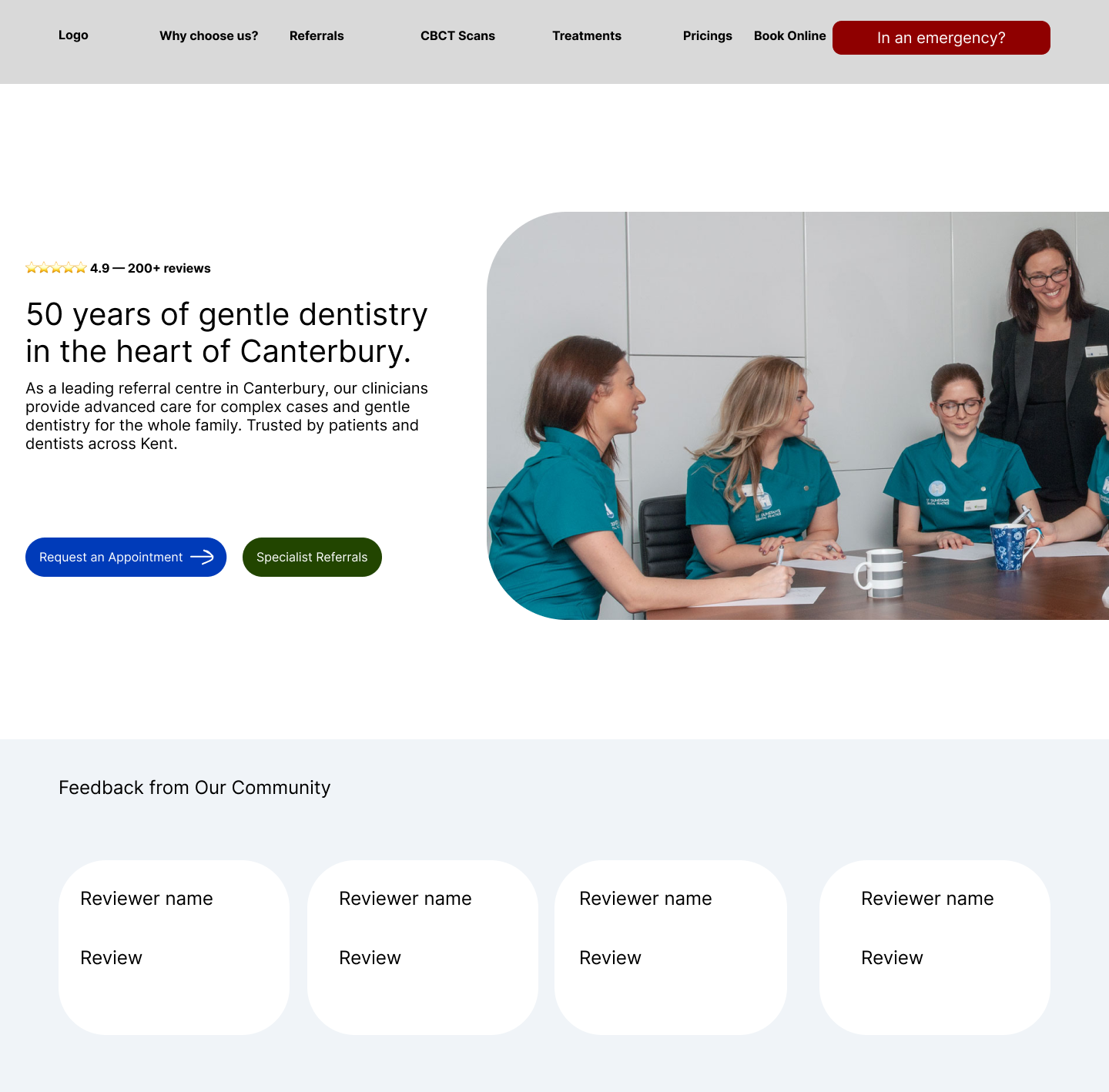
Hero V4 — What I ended up with
A person in an emergency wouldn't have the luxury to scroll —
they'll immediately look at the top. That gives space to the
ratings without breaking the hierarchy of trust. Two problems
solved for two different personas: one who needs trust, one who
needs help asap.
Pricing sketch
After reviewing 20+ UK dental websites, I noticed that most do not surface pricing on landing pages. This appears to be a deliberate industry pattern, likely aimed at reducing initial cost-related anxiety and keeping the focus on trust and suitability first.
However, this creates a trade-off between transparency and reassurance. For first-time or anxious patients, completely removing cost information can still leave uncertainty, especially around affordability.
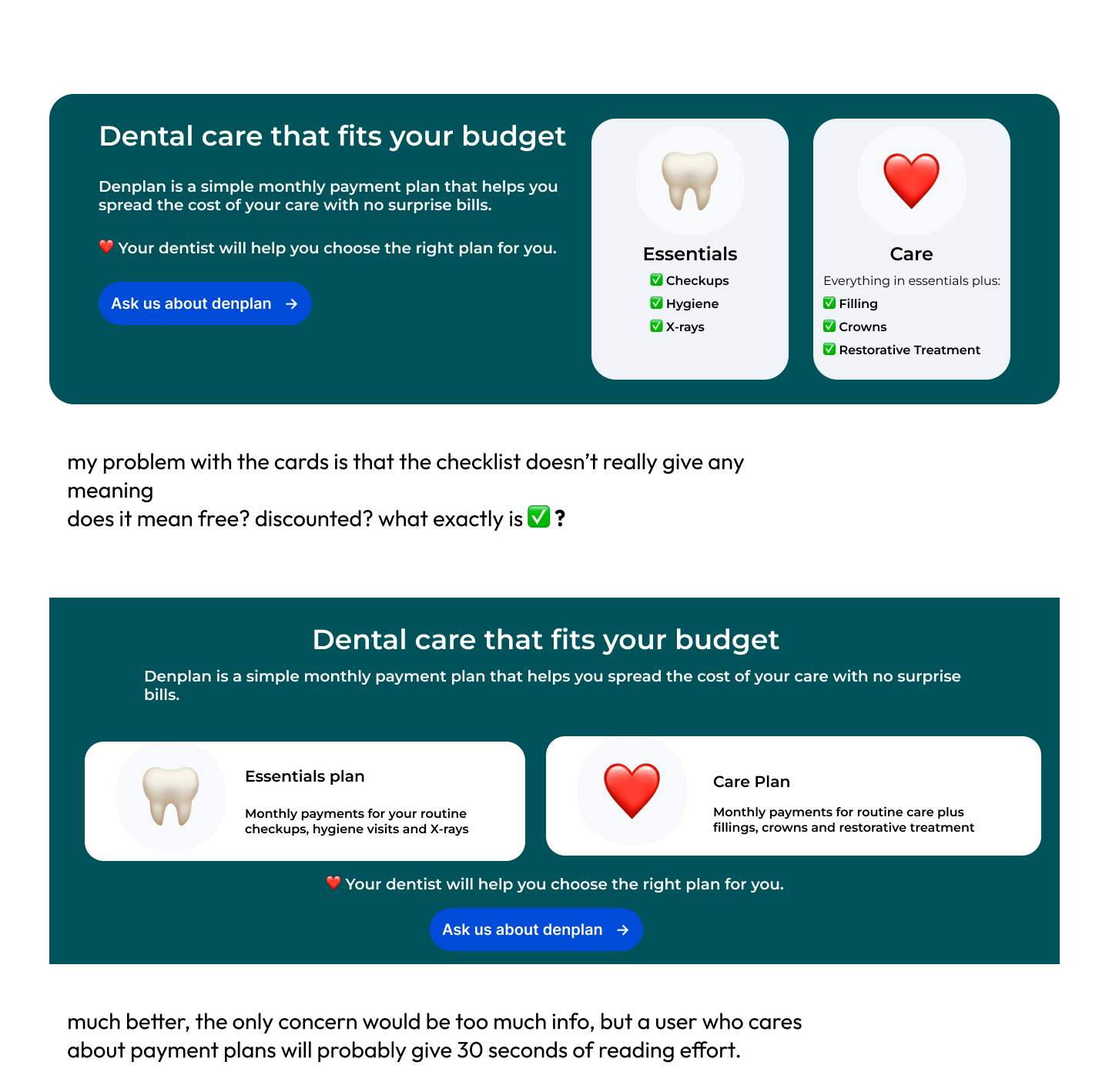
Instead of directly copying the pattern, I explored how pricing anxiety could be reduced without introducing cognitive overload. This led to the decision to exclude detailed pricing while still addressing financial concerns through a small Denplan section.
Denplan was included as a softer entry point into cost discussion, framing affordability around manageable monthly payments rather than upfront figures. This aims to reduce perceived financial pressure while still providing enough information for users who need reassurance.
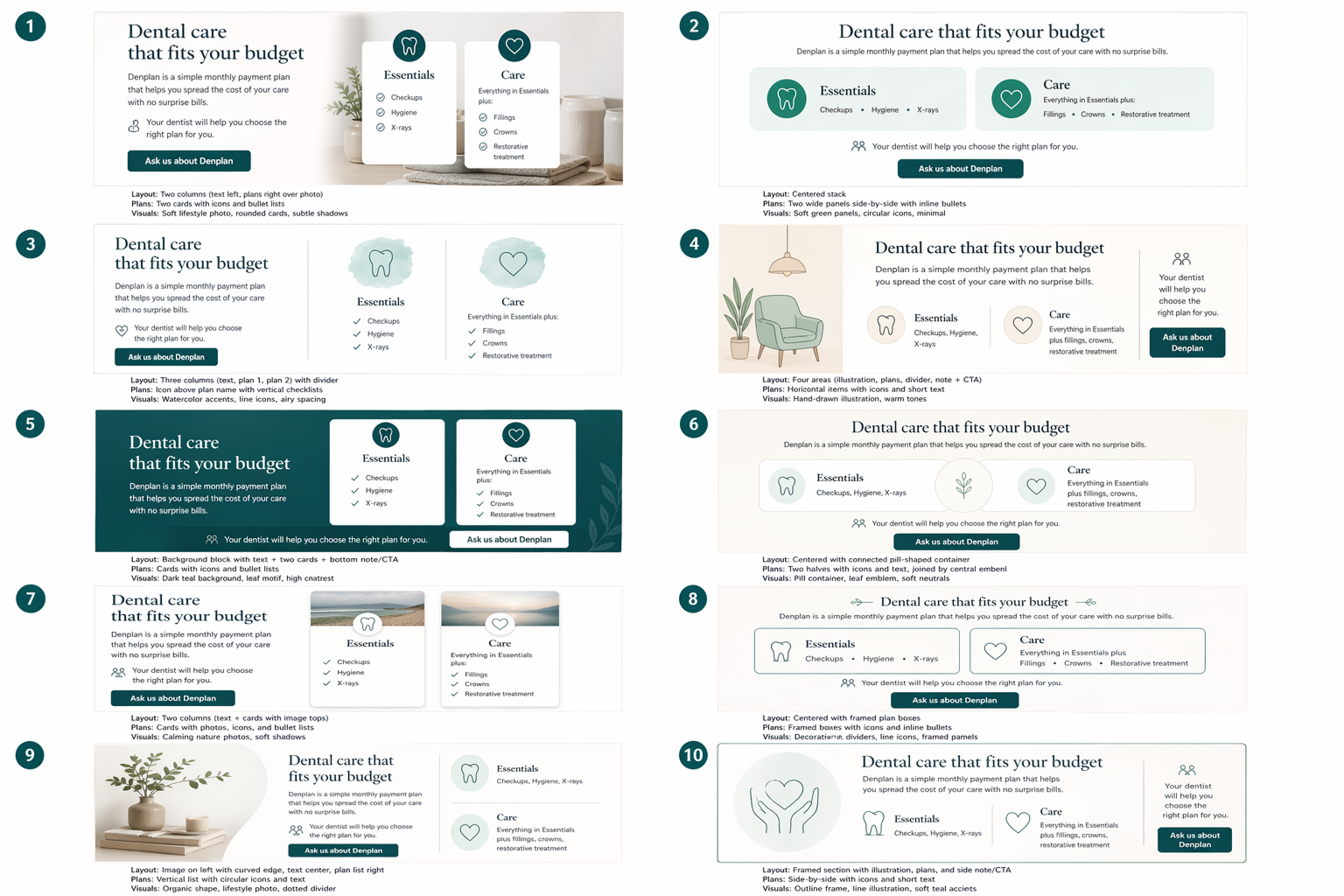
To explore possible ways of presenting this, I used AI to generate 10 layout directions for a dental payment plan section. I then evaluated them based on clarity, emotional tone, and how quickly a user could understand affordability without needing to read dense information.
FAQ research insights
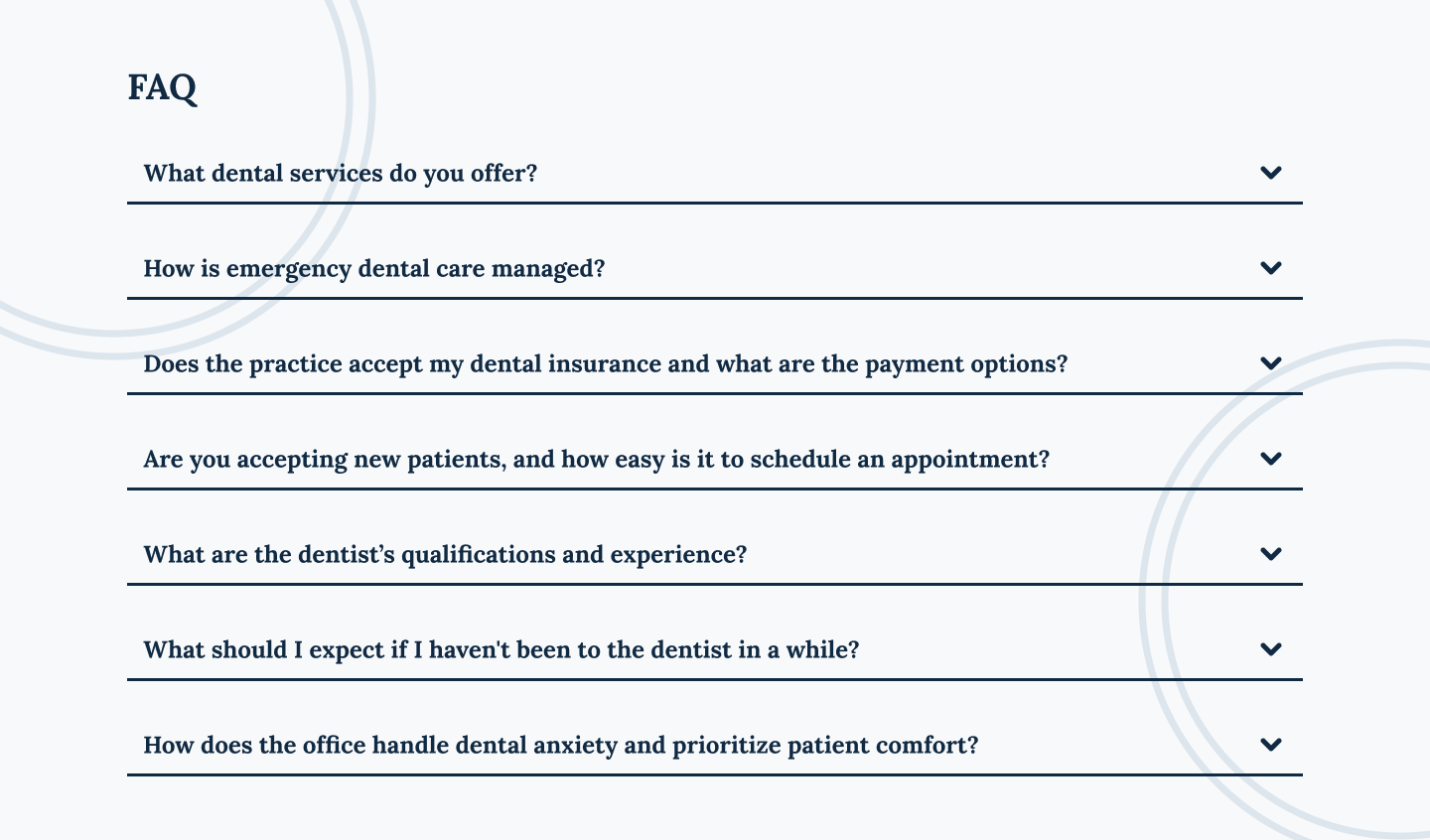
The FAQ section doesn't require reinventing the wheel — it's a standard set of expandable questions, and its visual format is universally understood. The real challenge lies in the content strategy: how do you craft an FAQ that simultaneously addresses the concerns of an anxious patient and the clinical needs of a referring doctor?
Since the website already had a dedicated page for referring doctors, I focused my efforts on the patient-facing side of the FAQ. Through an analysis of 51 sources, I identified and grouped the most critical patient questions into 7 core themes:
Services clarity
Emergency care
Cost & payment options
Booking & accessibility
Trust & credentials
Expectations
Anxiety & patient comfort
04 — Results
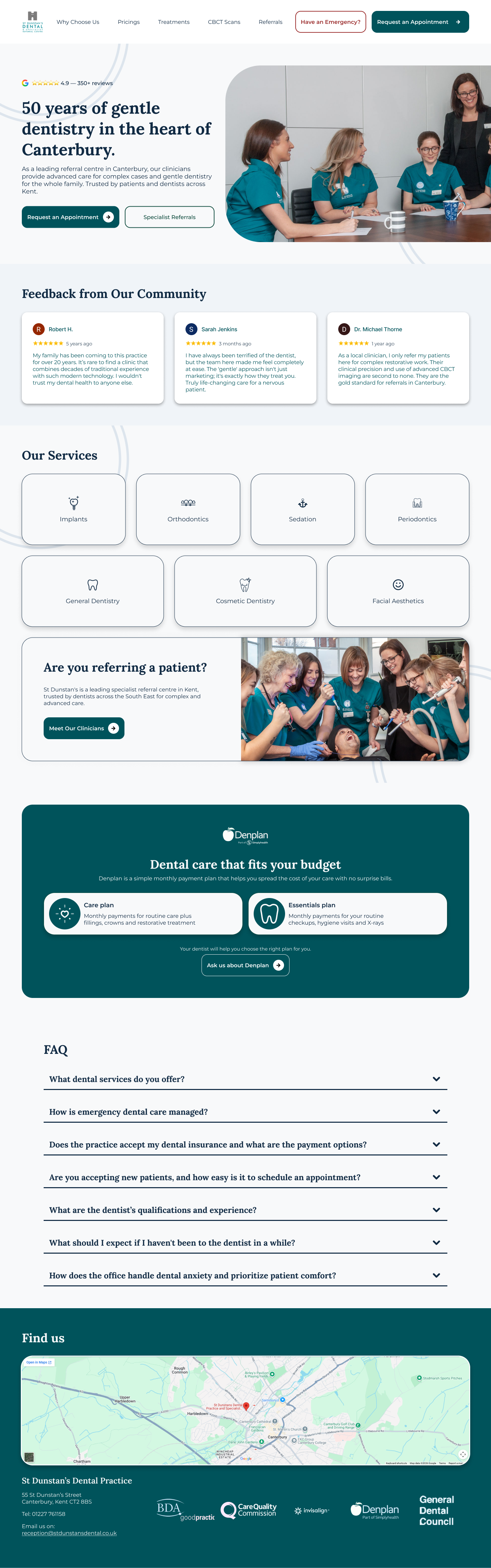
The redesigned page.
A full landing page that leads with 50 years of trust, reduces
anxiety at every scroll, and gives both patients and referring
dentists a clear path to action — from one cohesive page.